Lenga 0.10.1 Adds Temporary Screen Effects and Portable Shaders
In Lenga 0.10.1 you can distort the view when a power-up kicks in, use the same custom material shader in desktop and Web builds, and work in a new editor theme.
Add a Screen Effect to a Gameplay Moment
Enable Post Processing on the scene camera. In PHP, use PostProcessing::setOverride() to add a named layer for an ability, pickup, or hazard. Give each effect a different key so it can run alongside other layers. Call PostProcessing::clearOverride() with that key when the effect ends.
Try Peripheral Warp for a speed boost. It bends the outer edges of the view while leaving a clearer area in the center. Screen-space UI draws afterward, so the HUD stays readable.
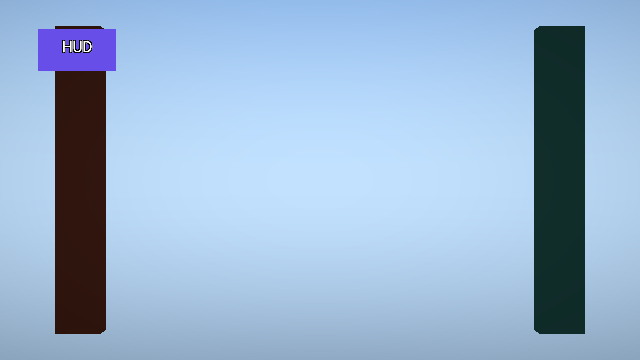
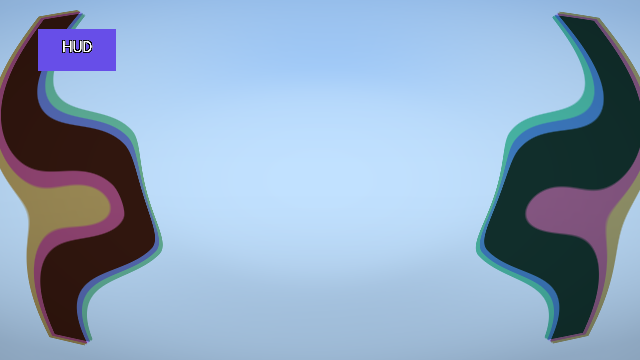
Create a two-second screen effect or look up the PostProcessing scripting API.
Use One Custom Shader on Desktop and Web
If your unlit 3D material uses GLSL features shared by desktop GLSL 330 and GLSL ES 300, add // lenga:portable-glsl at the top of both shader stages. Lenga supplies the version header for each target. Stages without the marker keep their authored version, so a shader that needs a platform-specific feature can still use an explicit #version.
Write and test portable shader stages, including how to keep an explicit version for older players.
Work in the New Editor Theme
The editor uses warm charcoal panels, rose highlights for selections and active controls, and Inter for interface text. The theme applies to the editor controls. Your game still renders with its own materials, lighting, and UI.
Download and Upgrade
Download Lenga 0.10.1 for Windows or Apple silicon. The Mac installer requires macOS 26 or later.
When opening an existing project, keep Back up project first selected if the editor prompts you to upgrade. Re-export any build that uses the new screen effects API or portable shaders so it runs with the 0.10.1 player. Test custom materials in a desktop browser if you ship a Web build. The editor and exported games continue to include PHP 8.5.13.